
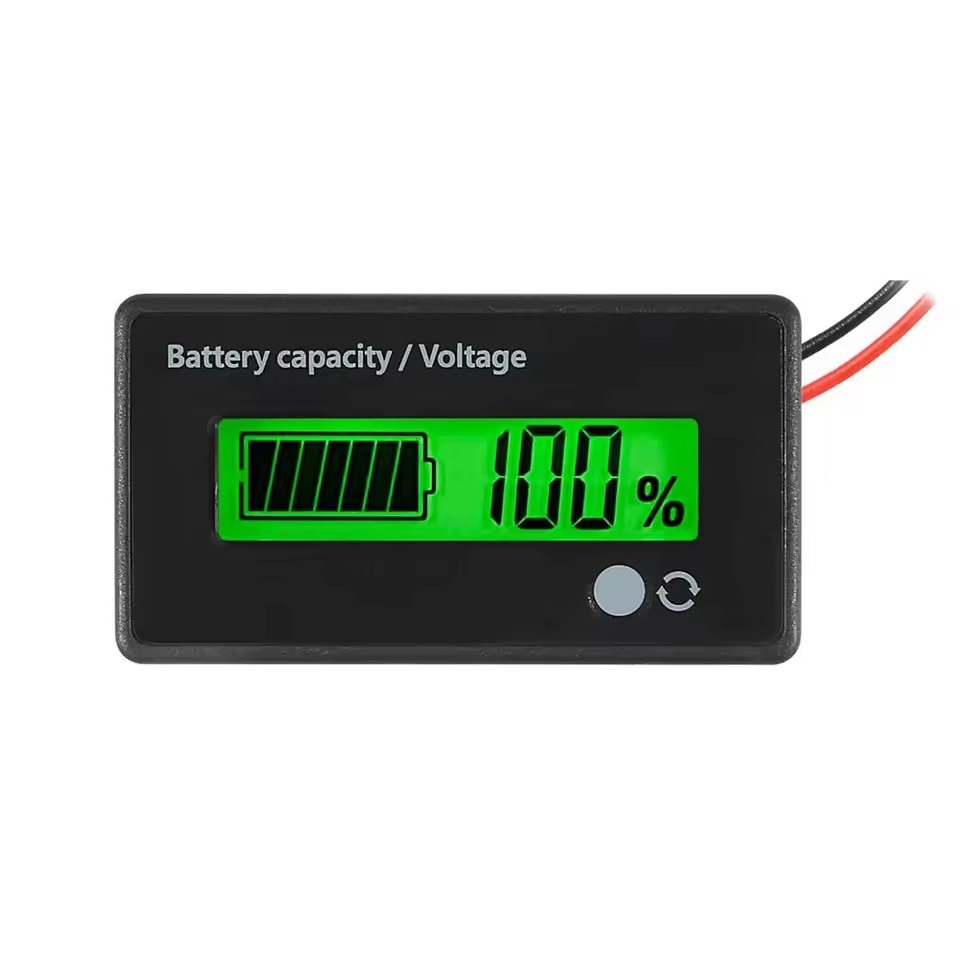

12V-72v lead-acid Universal-Green
12V 24V 36V 48V 72V Lead Acid Lithium Battery Capacity Indicator Car Motorcycle Digital Voltmeter Voltage Tester Meter Tool.
Features:
- Convenient to Use The battery voltage tester is equipped with a switched function button. You can press to check the battery capacity or real-time voltage, and with alarm design, the battery meter indicator flashes when the battery capacity is below 20 percent
- Easy to read: the battery indicator is equipped with a clear LCD digital display, and has a waterproof PVC screen protector with bright backlight, which allows you to read the results from different angles, with low working current consumption and maximum 5mA
- For various batteries: the battery capacity indicator is compatible with 12V/ 24V/ 36V/ 48V/ 60V/ 72V/ 84V lead-acid batteries, ternary lithium batteries, polymer lithium ion batteries, series 3-15 lithium-ion batteries, storage batteries and water battery and more; Please note that they are not suitable for lithium iron phosphate batteries, 1. 2 Li- Batteries can be used in series and over 15 Li batteries in series
- Widely used: the voltage indicator for battery capacity can be used in different places, e.g. B. in the garden, home, office and more, reliably placed and used for a long time to meet your different requirements and make life more comfortable
Specification:
Operating voltage: DC 12-84V
Working current: <5 mA
Operating temperature: -20°C - 50°C
Display: Capacity/Voltage
Backlight: Green
Material: ABS
Net weight: 20g
Product dimensions: 61.3x33.3x13.5mm/2.4x1.3x0.5 inches
Installation dimensions: 58.5x28.5mm/2.3x1.12 inches
Installation method: With bracket, no screws required, easy to maintain
S1: %/V turn the display in 2s
Performance percentage and voltage are displayed in tum recurring and automatically
S2: Inactivity sleep in 10 seconds
Auto sleep mode after displaying battery capacity for 10 seconds to save power. Press the function button to reactivate the display for 10 seconds;
S3: Turn on backlight
Power indicator turns the backlight on or off
Adjustment:
1. Disconnect the power supply of the module, hold down the adjustment button until the power module is powered. Display shows current parameters of power setting:
2. Press the adjustment button to select P/ L/ F (P = 12 V lead acid, L = 3.7 V lithium battery, F = 3.2 V lithium iron phosphate battery)
3. Press the function button to adjust the number of battery rows according to the function buttons, and adjust the button up or down to select the number of batteries in series.
4. Long press the function button to enter the advanced setting interface, use the setting button to select S1-S5, and the input button to select or cancel the current mode
5. Turn on the power supply again after setting. The power supply automatically stores setting data.
E.g. 10 lithium battery power, turn on the power percentage and automatic rotation display of voltage (S1 mode)
Operation: Disconnect the display module from the power supply, hold down the adjustment button, turn on the power supply module, press the adjustment button short to select L, press the function button to select 10, long press the function button to select S1 and turn on again.